Digital Picture Board
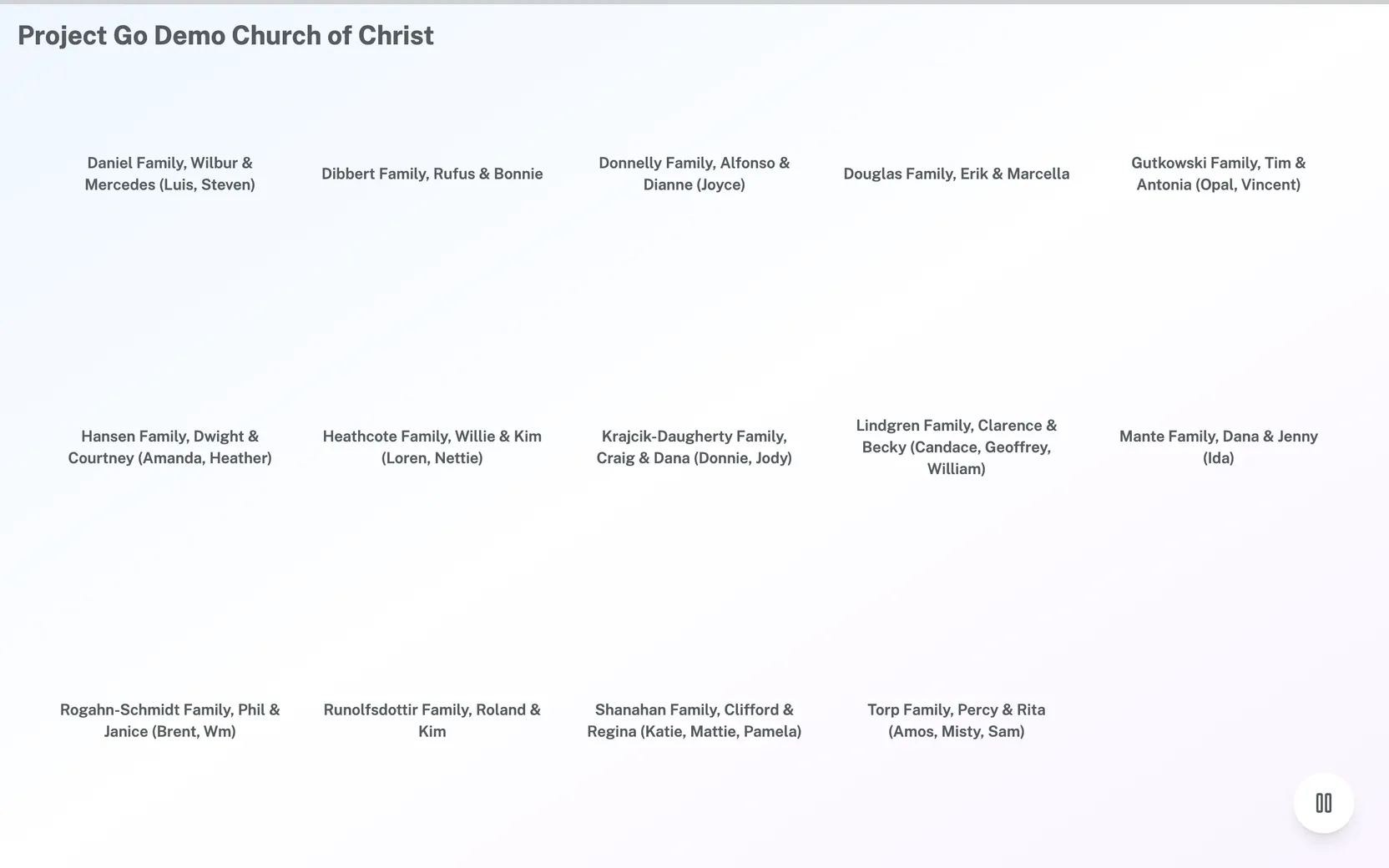
The Digital Picture Board is a full-page display of your church's families. It shows your church name and a grid of family pictures with family names.
Where: On a computer, click Digital Picture Board in the menu. It opens in a new tab. It is not in the menu on a phone or on a narrow window.
Who can use this: There is no Role Management setting for it. Every signed-in member sees the menu item on a computer. The page itself needs no sign in. Anyone who has the page's link can open it.
Open the Digital Picture Board
- On a computer, click Digital Picture Board in the menu.
- Wait for the board to load in the new tab.
While it loads, you see "Loading families..." The web address of the tab ends with /dpb/ and your church's domain.
Put the board on a screen
- On the computer that is connected to the screen, open a browser.
- Go to the board's web address, which ends with /dpb/ and your church's domain. You do not need to sign in.
The board shows the church name at the top left. The number of pictures on each page depends on the width of the browser window:
| Window width | Pictures per page |
|---|---|
| Under 1024 pixels | 9 (3 across, 3 down) |
| 1024 to 1279 pixels | 12 (4 across, 3 down) |
| 1280 pixels or wider | 15 (5 across, 3 down) |
Move between pages or pause the board
If your church has more families than fit on one page, the board changes to the next page every 10 seconds. A thin bar across the top of the screen shows the time. After the last page, it starts again at the first.
- To go to the next page, click the arrow on the right edge of the screen.
- To go to the page before, click the arrow on the left edge of the screen.
- To stop the pages from changing, click the pause button in the bottom right.
- To start again, click the same button, which now shows a play symbol.
The arrows show only when there is more than one page.
See what each picture is
Each place on the grid is one family. A family with a picture shows the picture with its name below. A family without a picture shows only its name. The pictures are the family pictures kept in Project Go Hub. To change one, see "Update your family profile" in My Account, or Member Directory.
If something goes wrong
- No families to display: the board has nothing to show. The church name appears above that message.
- Church not found: the link is not right. Open the board again from the menu.
- Failed to fetch families: the board could not load. Reload the page.